Why don't we cut staff, when we know how to use AI effectively?
How do we guarantee high code quality and AI safety?
When it comes to developing engineering software in the area of CAD/CAM/CAE/BIM, our customers tend to fall into two camps. One demands, “Let's throw some AI at it! Make it faster, cheaper!” while the other camp is terrified: "No AI whatsoever! The code might leak. LLMs will write nonsense, stuffed full of bugs."
(LLM is short for ‘large language model’, which is the most common type of AI currently on the market, such as ChatGPT.)
For two years now, we’ve worked with both camps. Our conclusion is this: Using AI for developing CAD/CAM systems is like using autopilots in aviation. Without a skilled pilot (our software engineers) and the observation of strict safety rules, it’s deadly dangerous. With pilots and rules, we have found that AI multiplies our efficiency – within bounds.
I’d like to outline the downsides we found to AI, how we’ve eliminated risks for customers, and then describe the tasks that LLMs can accelerate in CAD/CAM development.
- Downsides of AI in programming
- How to eliminate risks
- How to maximize benefits
- Primary consideration for clients: faster development, uncompromised security
Downsides of AI in Programming (What AI Evangelists Don't Tell You)
Before praising AI, let us consider the risks, which include the following:
Code hallucinations. Sometimes AI writes beautiful methods that don’t work as expected and in rare edge cases silently fail. For CAD/CAM, this is unacceptable. It is too easy to overlook an AI-made error before going into mass production, such as in how stresses are calculated, because of the complexity of 3D geometry. Errors could make products fail pre-maturely, or even break an expensive machine/robot during manufacturing.
Intellectual property leakage. Public LLMs are designed to reuse your code for training. One careless copy-paste, and the client’s unique algorithm is gone onto the cloud for possible re-use by other programmers.
License violations. AI could include GPL-licensed code snippets, which allows others to reuse all the code. Insert some into a client’s proprietary CAD program, and you risk a lawsuit.
False sense of productivity. Developers can quickly generate several hundred lines of code with AI, but then spend days debugging the logic. The total time may end up being longer than if they had written it from scratch. By not writing code themselves, developers have, in most cases, significantly lower knowledge and understanding of what the code means.
Complex CAD/BIM architecture. At the current moment, AI still has room for improvement in designing class hierarchies that manage the millions of geometric primitives that are found in CAD and BIM models. When AI handles the software architecture, the result is spaghetti dependencies.
Here is an example of a quickly-generated AI image that demonstrates both AI productivity and the defects it can produce.
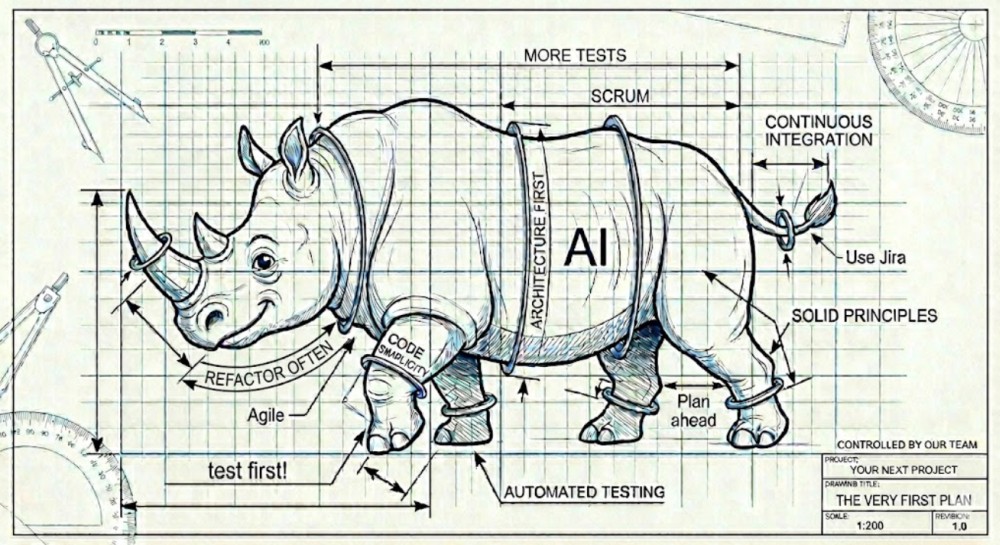
Those downsides may scare off some customers. They are right to be cautious about employing AI in programming projects, which is why we built a system where AI is not a replacement for engineers, but a tool that gets used with a significant safety net.
How to Eliminate Risks
We have had zero cases of leakage or defects caused by AI, thanks to rules we developed:
Private Cloud, By Default
We do not use a public AI system, such as ChatGPT, Claude, or Copilot, on our clients’ code, except when customers directly ask us to do so, and after we properly inform them of the benefits and drawbacks.
We don’t need public AI. We have established our own infrastructure by installing specialized AI models in-house. This approach provides us with these security advantages:
- Our locally-installed LLMs have no access to the Internet
- Your code never leaves our dedicated servers
- Our models are not trained on your code
Controlled Distribution of Sensitive Information
We have decades of experience in handling code specifications, test cases, images, and videos discretely on behalf of customers. We have strict rules about sharing data inside a project team:
- Our clear and simple instructions tell our developers how to work with a customer’s data safely
- To catch possible issues, we analyze logs automatically and manually of all interactions
No AI-generated code reaches our repository without us first double-checking, using the following procedures:
- Automated code analysis – we scrutinize the code with dedicated tools that perform static code analysis, performance analysis, code coverage, and so on
- Peer review by a second engineer/team lead – in some projects, the reviewer isn’t told whether the code was written by a human or AI, making it a blind review
- Heavy testing – for every function we have several (or even up to thousands) unit/replay tests, including checking edge cases
As a result, our bug tracker shows that defects originating from AI are no more frequent than defects from junior developers. As our team consists mostly of experienced programmers with at least three years experience, we find that AI agents and tools fit nicely into the role of junior developers, when we consider it appropriate.
How to Maximize Benefits
Now for the good news. We don't ban AI; rather, we direct it toward sub-tasks where LLMs are objectively more efficient than human programmers. Here are some of the areas in which we found AI works well for us:
- Boilerplate generation that involves thousands of identical getters/setters for geometric object properties. Here, humans can make mistakes out of boredom, while AI never does.
- Writing unit tests for CAD math functions, where AI is allowed to explore edge cases and boundary values in simple cases. This allows humans to focus on the most interesting mathematical cases.
- Refactoring legacy code, such as splitting a 500-line function into smaller pieces. This is something people don’t like doing; AI isn’t afraid of “dirty work” and doesn't take criticism personally
- Converting scripts between APIs, like rewriting macros from the API [application programming interface] of one CAD system to the API of another. We find that AI knows the syntax of different libraries quite well.
- Code documentation (generating Doxygen/comments) is hated by humans. AI does it in seconds.
- Creating mock objects for CAD UI testing requires simulating user input, where 100+ variations are needed; AI does repetitive work effortlessly.
- Initial analysis of error logs uses AI to provide summaries, later examined by humans in detail.
Those are the areas in which we find AI useful.
So, what tasks do we never give to AI? We humans always make architectural decisions, such as choosing design patterns for the computation kernel. We always write critical loops, when every clock cycle matters. While we might use AI to generate ideas in these areas, the final work and the final verification is always done by a technical expert who is human.
Primary Takeaway for Clients: Faster development, Uncompromised Security
We've implemented AI as a super-powered junior engineer who is watched with an iron discipline. As a result, over the past year we have gained these benefits from our projects:
- Development speed for standard CAD/CAM modules has increased
- Number of critical bugs did not increase
- Zero incidents of code leakage and NDA violations
We understand it when some companies declare, "We use AI, so we're fast and cheap!" but then we have questions for them: Do they employ a private cloud? Do blind reviews? Ban public models?
We do all of that, as we have shown in detail. So our AI process is effective, safe, and predictable.
Even so, we continue increasing the size of our team. While we have become stronger by employing AI, we have cut no staff. It would be foolish to reduce the number of our developers, who know how to implement really complex and unique algorithms.
When you order custom software development from LEDAS, know that our procedures are safe, efficient, and use new technology responsibly!